
Here’s a question most engineers can’t fully answer, even after years of building systems: why does your company have both PostgreSQL and BigQuery?
Not what they’re used for — you probably know that. But why. Why can’t PostgreSQL just do both jobs? Why does the data team need a completely separate system? Why does running an analytics query on the production database sometimes bring the whole thing to its knees?
The answer isn’t about scale, or cost, or organisational preference. It starts much deeper — with how databases physically store and retrieve data on disk. Once you understand that, every database decision gets cleaner. Which engine to pick. Which index to create. When to reach for a data warehouse. Why certain queries are slow even when they look simple.
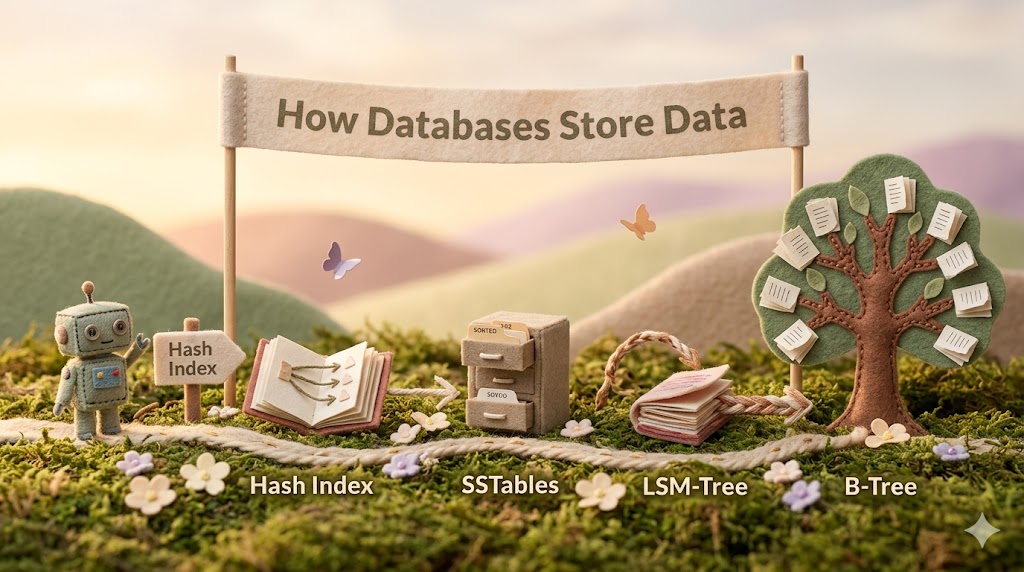
This post covers everything: from the simplest possible storage strategy all the way to the data warehouses powering your company’s analytics — with every design decision motivated by the problem it was invented to solve. Think of it as the guide that should exist alongside every database textbook but usually doesn’t.
The central idea everything hangs on: every storage engine is making a deliberate tradeoff between write speed and read speed at the physical level. B-Trees optimise for reads by maintaining order on disk at write time. LSM-Trees optimise for writes by deferring organisation to compaction. Understanding which workload you have tells you which engine to reach for.
Let’s build to that from the ground up.
The simplest possible database — and where it immediately breaks
Imagine the most minimal database you could build. A text file on disk. Every new record gets appended to the end. Every write is just — add to the end. Done.
123456,{"name":"London","attractions":["Big Ben"]}
42,{"name":"San Francisco","attractions":["Golden Gate"]}
Writes are blazing fast — appending to a file is about as cheap as disk operations get. But reads? To find key 42, you scan every single byte from the beginning of the file until you find it. On a file with millions of records, that’s completely unusable.
This is the fundamental tension that every storage engine in this post is trying to resolve: writes want to be fast appends, but reads want to find things instantly. You cannot fully optimise for both at the same time. Every storage engine picks a point on that spectrum and lives with the consequences.
The entire history of database storage engines is a series of increasingly clever answers to this one tension. Let’s walk through them in order.
The hash index — the first clever answer
The first solution is to keep a hash map in RAM — a lookup table that maps every key to a byte offset: the exact position in the file where that key’s value starts. Think of a byte offset like a page number in a book. If the offset is 64, it means: skip to position 64 in the file and start reading there — like turning to page 64.
key      byte offset
123456   0           ← record starts at the very beginning
42       64          ← record starts at position 64
Now a read works in two fast steps:
- Look up the key in the hash map → get the byte offset (instant — it’s in RAM)
- Jump directly to that position in the file → read the value (one disk seek, no scanning)
Writes stay as fast appends. Reads become instant lookups. This is the strategy used by Bitcask — the storage engine inside Riak.
But it hits a wall — two walls, actually.
First: the hash map must hold every single key in RAM simultaneously. If you have 100 million unique keys, all 100 million entries must fit in memory. At some point you simply run out of RAM — and there’s no elegant solution because the hash map must be in memory to work.
Second: hash maps are unordered. Key 42 has no relationship to key 43 inside a hash map. So “give me all keys between 100 and 200” means scanning every entry and checking each one. Range queries are impossible to do efficiently.
The wall: keys outgrow RAM. Range queries are needed.
SSTables — what if the file was always sorted?
The next insight is one of those ideas that seems obvious in retrospect: what if the file was always kept sorted by key?
An SSTable (Sorted String Table) is exactly that — a file of key-value pairs, always in sorted order. Apple before cherry before mango before zebra. This one change fixes both walls from the hash index.
Wall 1 — RAM: Because the file is sorted, you no longer need every key in the index. A sparse index works — store only some keys, roughly one entry per few kilobytes of file. If your sparse index says apple → byte 0 and mango → byte 144, and you’re looking for “fig” — you know fig must live between bytes 0 and 144 (because the file is sorted). Jump to byte 0, scan a small range, find fig. The sparse index is tiny regardless of how many total keys exist. The RAM problem disappears.
Wall 2 — Range queries: Because the file is sorted, range queries are natural. “Give me all keys between cherry and peach” — find cherry in the sparse index, scan forward, stop the moment you see a key greater than peach. You never touch data outside the range.
Bonus — compaction: When multiple SSTable files need to be merged, you use merge sort — walk through both sorted files simultaneously with one pointer per file, always picking the smaller key. When the same key appears in both files, the newer value wins and the old one is discarded. One efficient pass through both files.
But it hits a new wall: you can’t write data to disk in sorted order as it arrives, because data arrives in random order. If “zebra” arrives first and “apple” arrives second, inserting apple before zebra in an existing file means rewriting the whole file.
The wall: can’t write sorted as data arrives.
LSM-Trees — sort in memory, flush sorted to disk
The LSM-Tree (Log-Structured Merge Tree) solves the write problem with a simple but powerful idea: sort in RAM first, then flush to disk once it’s already sorted. Four rules drive the entire system.
Rule 1 — Every write goes into the memtable.
The memtable is an in-memory balanced tree — a red-black tree or AVL tree — that keeps all entries in sorted order automatically as you insert them. Writing “fig”, then “apple”, then “mango” results in the tree internally holding apple, fig, mango in sorted order. Writing to RAM is microseconds fast. No disk access needed.
One safety detail: writes also go to a WAL (Write-Ahead Log) — a simple append-only file on disk. If the machine crashes before the memtable is flushed, the WAL replays to rebuild the memtable from scratch. The WAL is never used for reads — it exists purely for crash recovery.
Rule 2 — When the memtable fills up, flush it to disk as an SSTable.
Once the memtable hits a size threshold — typically a few megabytes — it gets written to disk as a new SSTable file. Because the tree was already sorted in memory, the write to disk is one fast sequential operation. A fresh empty memtable opens immediately — writes never pause while flushing happens.
Rule 3 — Reads check newest to oldest.
To find a key: check the memtable first (newest data lives here), then the most recent SSTable on disk, then the next older SSTable, and so on. Stop the moment you find the key. Because you always check newest first, if a key has been updated, you automatically get the latest value — older versions are never reached.
Rule 4 — Background compaction merges old segments.
Over time, multiple SSTable files accumulate and some keys appear in multiple files. Compaction runs quietly in the background — merge-sorting multiple SSTables into one clean file, keeping only the newest value for each key, discarding stale versions. Reads and writes continue normally while compaction runs.
The question that makes it all click: what happens when A, C, F are flushed to disk as Segment 1, and then B and D arrive?
B and D go into a fresh memtable. Segment 1 is never touched — SSTable files are immutable. When B and D’s memtable fills and flushes, you have two segments on disk:
Segment 1: A, C, F    ← sorted within itself
Segment 2: B, D       ← sorted within itself
Each segment is sorted internally. But globally — across both segments — the order is broken. B and D don’t know about A, C, and F. Compaction eventually fixes this:
Segment 3: A, B, C, D, F ← globally sorted
This is intentional. The “messiness” of multiple segments is the price of fast writes. You never go back and squeeze B between A and C on disk — that would mean rewriting the whole file. B lives in Segment 2 temporarily, and compaction restores global order in the background.
Databases also layer Bloom filters on top of each SSTable — small probabilistic structures that can tell you in microseconds whether a key definitely does not exist in a segment, letting the engine skip that segment’s disk read entirely. For keys that don’t exist, this avoids expensive disk seeks across every segment.
LSM-Trees in the wild: Cassandra, RocksDB, LevelDB, HBase — every write-heavy database uses this approach. The sequential append pattern makes them extraordinarily fast for high write throughput workloads.
B-Trees — the opposite philosophy
Where LSM-Trees defer organisation to compaction, B-Trees maintain order at all times. This is a fundamentally different philosophy — and it produces a fundamentally different set of tradeoffs.
A B-Tree stores data in fixed-size pages — typically 4KB, matching the natural block size of hard drives and SSDs. Pages form a tree structure: the root page contains keys and references to child pages. Each child is responsible for a continuous range of keys. Leaf pages at the bottom contain the actual data.
To find any key: start at the root page, follow references downward through the tree, reach the leaf page containing the key. Always a predictable number of page reads.
ROOT PAGE
│  200  │  400  │  600  │
   ↓        ↓        ↓
[<200]  [200-400]  [400-600]
              ↓
         [240-260]
              ↓
    leaf: 241 │ 247 │ 251 ← found
The branching factor — how many child references each page holds — is typically several hundred in real databases. This makes B-Trees remarkably shallow. With a branching factor of 500 and 4KB pages, a four-level tree holds up to 256TB of data. Four disk reads to find anything in 256 terabytes.
Writing overwrites pages directly at their existing disk location. When a page fills up, it splits into two half-full pages and the parent page gets updated with the new boundary. If the parent also fills up, it splits too — this can cascade up to the root, which is the only way a B-Tree grows taller.
Crash safety requires a WAL here too — before modifying any page, the intended change is logged. If the machine dies mid-write, the WAL lets the database restore the tree to a consistent state on restart.
B-Trees in the wild: PostgreSQL, MySQL, SQLite, Oracle — every major relational database uses B-Tree indexes. Predictable read performance and clean transaction support make them the right choice for most application databases.
The tradeoff, made concrete
Now the central idea lands with full weight. Both storage engines solve the same problem — sorted lookup with fast access. But they make opposite choices about when to pay the organisation cost.
| LSM-Tree | B-Tree | |
|---|---|---|
| Write style | Append to memtable, flush later | Overwrite page in place |
| Read style | Check memtable + segments newest to oldest | Walk tree root to leaf |
| Write speed | Fast — sequential, no existing files touched | Slower — random page writes, possible splits |
| Read speed | Slower — may check multiple segments | Fast — always O(log n) page reads |
| Latency consistency | Occasional compaction spikes | Predictable |
| Transactions | Complex — key in multiple segments at once | Clean — key in exactly one place |
| Best for | Write-heavy workloads | Read-heavy, transactional workloads |
| Used by | Cassandra, RocksDB, LevelDB | PostgreSQL, MySQL, SQLite |
One hidden cost worth understanding: write amplification — the fact that one logical write to your database results in multiple physical disk writes. B-Trees pay it upfront: WAL write, page write, possible parent page write. LSM-Trees spread it over time through repeated compaction. On SSDs, which can only be overwritten a finite number of times before wearing out, high write amplification shortens hardware lifespan — not just slows performance.
The compaction risk is real: if writes arrive faster than compaction processes them, unmerged segments pile up silently. Reads slow down as they check more files. Eventually disk fills up. LSM-Tree engines don’t throttle incoming writes when compaction falls behind — you need explicit monitoring to catch this before it becomes a crisis.
Indexes — the layer built on top
Both storage engines are the foundation. Indexes are what you build on top of them to make specific queries fast.
An index is a separate data structure maintained alongside your actual data. Its only job: answer the question “where is the row I’m looking for?” faster than scanning everything. Without an index, every query reads every row. With one, the database jumps directly to the relevant rows.
You never directly call an index. The database’s query planner reads your SQL, decides whether a suitable index exists, and whether using it is cheaper than a full scan. Run EXPLAIN before any slow query to see exactly what the planner decided and why.
Primary index — automatically created on the primary key. Always a B-Tree. Free.
Secondary index — you create explicitly on non-primary-key columns your application queries frequently. Every write now also updates this index. A table with 10 secondary indexes pays 10 index update costs on every insert or update.
Composite index — covers multiple columns. Column order matters enormously. An index on (user_id, status) is sorted by user_id first, then status within each user. Think of a phone book sorted by last name then first name: you can find “Smith, Alice” instantly, but searching by first name alone means scanning everything. WHERE status = 'pending' alone cannot use this index — you skipped the first column.
Clustered vs non-clustered — a clustered index stores the actual row data inside the index itself. In MySQL InnoDB, the primary key is always clustered: one file, one disk read gets you the full row. In PostgreSQL, all indexes store a pointer to a separate heap file, requiring two reads per lookup — one to find the pointer in the index, one to fetch the row from the heap. The heap file is simply the raw rows stored in no particular order on disk — think of it as a filing cabinet where documents are thrown in wherever there’s space, unordered.
Covering index — stores additional columns inside the index leaves so certain queries never need to touch the table at all. For your hottest queries, this eliminates the second disk read entirely.
Three patterns that silently break index usage — all return correct results, all do a full table scan:
- Function on column:
WHERE YEAR(created_at) = 2024— the index is sorted on rawcreated_atvalues, notYEAR(created_at). Fix:WHERE created_at BETWEEN '2024-01-01' AND '2024-12-31' - Leading wildcard:
WHERE email LIKE '%gmail.com'— the index can’t help when the start of the value is unknown. Fix:WHERE email LIKE 'alice%' - Type mismatch:
WHERE user_id = '7291'whenuser_idis INT — the implicit conversion bypasses the index. Fix:WHERE user_id = 7291
EXPLAIN is the only reliable way to catch all three.
In-memory databases — what if disk wasn’t involved at all?
There’s a different answer to the read/write tension worth knowing: keep everything in RAM and skip disk entirely.
In-memory databases like Redis and Memcached hold their entire dataset in memory. Reads and writes are nanoseconds fast — no disk seeks, no page loads, no compaction. For certain workloads — session caching, real-time counters, leaderboards — nothing else comes close.
The tradeoff is obvious: RAM is expensive and volatile. A machine restart loses everything unless the database periodically snapshots to disk or maintains a WAL for recovery. And your dataset must fit in memory — which limits how much you can store.
The nuanced point most people miss: the performance advantage of in-memory databases isn’t just that RAM is faster than disk. It’s that without disk, the data structures don’t need to be optimised around disk access patterns at all. No need for B-Tree pages sized to disk blocks. No need for LSM-Tree compaction. Simpler structures, less overhead, faster operations.
OLTP vs OLAP — when the workload changes everything
Everything above — hash indexes, SSTables, LSM-Trees, B-Trees, all of it — assumes a specific type of workload: lots of small reads and writes, one row at a time, in real time. This is called OLTP (Online Transaction Processing). A user logs in. An order is placed. A message is sent. Each operation is precise and fast. This is what PostgreSQL and MySQL were built for.
But there’s a completely different type of workload that looks nothing like this: OLAP (Online Analytical Processing). “What was our revenue by region last quarter?” “Which users churned in the last 30 days?” These questions don’t touch one row — they touch millions or billions of rows, but only need two or three columns from each one.
This is the reason that “quick query” from your data team kills production. It’s not a bad query. It’s the right query on the wrong type of system.
In a row-oriented database — which is what every OLTP database uses — all columns of a row are stored together on disk. To get region and amount from 50 million orders, the database reads all 50 million full rows off disk, even though it needs maybe 10% of the data on each row. You pay for columns you immediately throw away.
Columnar storage flips the layout entirely. Instead of storing all columns of a row together, store all values of each column together:
Row-oriented:   [id, name, city, amount, status] × 50 million rows
Columnar:       all city values together, all amount values together
Now SELECT SUM(amount) FROM orders WHERE city = 'London' reads only the city column and the amount column. The id, name, and status columns are never touched. For 50 million rows, reading 2 columns instead of 8 is a dramatic difference in both speed and disk I/O.
Columnar storage also compresses dramatically. A status column with only three possible values — “done”, “pending”, “cancelled” — across a billion rows compresses to almost nothing using dictionary encoding: store a lookup table {0:"done", 1:"pending", 2:"cancelled"} and then store just the number. A table that takes 1TB row-oriented might take 100GB columnar. Less data on disk means less data to read. Less data to read means faster queries.
The architectural answer is a completely separate system: a data warehouse. An ETL (Extract, Transform, Load) pipeline — running on a schedule, hourly or nightly — pulls data from your production database, reshapes it, and loads it into the warehouse in columnar format. Your application queries production. Your data team queries the warehouse. They never compete for the same resources.
Data warehouses organise data around a star schema: a central fact table storing every event that ever occurred — every order, every click, every transaction — surrounded by dimension tables providing descriptive context: customers, products, dates. The fact table stays lean — just IDs and numeric values — because it gets scanned billions of times. Every column you add to it gets read across those billions of rows. Dimension tables answer who, what, when, where.
When dimension tables have their own sub-dimensions — products belonging to categories belonging to departments — the schema becomes a snowflake schema. Ralph Kimball, who essentially invented modern data warehouse design, gave clear guidance here: default to star schema. Storage is cheap. Analyst time and query latency are not. Add snowflake normalisation only when a dimension hierarchy is genuinely complex and independently queried.
Popular data warehouses: BigQuery (Google), Redshift (AWS), Snowflake (cloud-agnostic). All columnar. All built for exactly this workload.
The full map
Here’s where every concept lands — the complete cause-and-effect chain from first principles to modern infrastructure:
Problem: how do I store and retrieve data efficiently?

Append-only file
→ writes fast, reads slow (full scan)
→ fix: hash index in RAM

Hash index
→ reads fast (one seek), writes fast (append)
→ wall: keys outgrow RAM, no range queries
→ fix: sort the file

SSTables
→ sparse index fits in RAM, range queries work, compaction is elegant
→ wall: can't write sorted as data arrives randomly
→ fix: sort in memory first

LSM-Tree
→ memtable sorts in RAM, flushes sorted to disk, compaction in background
→ tradeoff: fast writes, slower reads, compaction complexity

B-Tree (parallel evolution — different philosophy entirely)
→ maintain sorted order on disk at all times
→ tradeoff: fast reads, predictable latency, slower writes

Both support:
→ Secondary indexes (fast lookup on any column)
→ Composite indexes (multi-column, order matters)
→ Clustered indexes (data inside the index)
→ Covering indexes (answer queries from index alone)

Different workload entirely:
→ OLAP needs columnar storage, not row-oriented
→ Data warehouse: separate system, star schema, ETL pipeline
→ BigQuery / Redshift / Snowflake
The one question that decides everything
Every storage and database decision — choosing a database, designing a schema, debugging a slow query, deciding whether to add an index — reduces to one question:
What is the shape of my workload?
- High write throughput, can tolerate slightly slower reads → LSM-Tree (Cassandra, RocksDB)
- Read-heavy, strong transactions, predictable latency → B-Tree (PostgreSQL, MySQL)
- Analytical queries across millions of rows → columnar data warehouse (BigQuery, Redshift)
- Frequent lookup by a specific non-primary field → secondary index
- Hottest query needs only a few specific columns → covering index
- Dataset fits in RAM and speed is everything → in-memory database (Redis)
- Someone wants to run analytics on production → separate data warehouse, immediately
The technology follows from the answer. Not the other way around.
That’s the idea that unlocks every database decision. Not a specific tool. Not a specific algorithm. Just the understanding that every storage engine is a deliberate bet on a specific workload — and your job is to match the bet to the reality.
This is part of the BytesByAbhi series on database internals — building intuition from first principles, one concept at a time. Heavily inspired by Designing Data-Intensive Applications by Martin Kleppmann.